The short answer: Be Spotify‑first or Apple Podcasts for discovery and engagement (video, Q&A, polls), but own your RSS with a neutral podcast host (Transistor, Buzzsprout, Cohost, etc.) That way you keep the growth benefits of Spotify while protecting your show, analytics, and portability across Apple, Amazon, iHeart, YouTube Music, and more.
Why This Matters (Especially for Mom Creators)
You’re building a brand while probably working a 9-5, then life happens, kids, etc. The last thing you need is to be locked into one platform’s rules. Owning your RSS = long‑term control, cleaner analytics, and stress‑free pivots. You can still love Spotify and win there, just don’t make it your home base.
I Was Confused by the Analytics
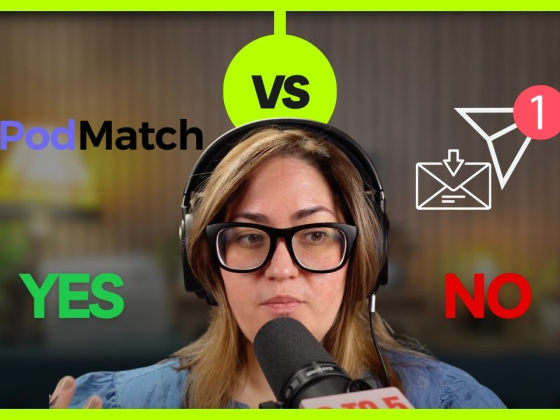
I was looking at different dashboards, Spotify, Apple, Amazon, iHeart, and none of the numbers seemed to match. It was frustrating and honestly made me question what was working. I don’t have time to be a data detective every week. I need one place to trust.
That’s why I’m moving my RSS to Transistor to act as the middle person. It lets me import my existing show, keep distributing everywhere (including Spotify), and get a single source of truth for analytics. I’ll update this post as I go, but the goal is simple: one home for the feed and data; many surfaces for discovery.
My setup now: I’ll host the RSS on Transistor, distribute to Spotify, Apple, Amazon, iHeart, and YouTube Music, keep releasing on a consistent Tuesday cadence, and use one clear CTA that builds my email list. Spotify still matters a lot for me—but I don’t want my whole business tied to one platform’s numbers.
Spotify as RSS Host: Pros & Cons
Starting on Spotify is fast and free, and you’ll keep useful platform features like video episodes, Q&A, and polls. The tradeoff is control: analytics are more limited, monetization tools are less flexible, and distribution outside Spotify can feel secondary. In short, it’s a great way to start, but it’s not ideal once you’re thinking about scale, sponsors, and portability.
A neutral host gives you ownership and portability through 301 redirects, stronger analytics, dynamic ad and promo options, private feeds, and smoother distribution everywhere—including Spotify, Apple, Amazon, iHeart, and YouTube Music. You’ll pay a small monthly fee and spend a few minutes migrating, but the long‑term control and data are worth it for most creators.
The 10‑Minute Migration Plan (Zero Downtime)
Pick a neutral host, import your show, verify that episodes and artwork look right, then set a 301 redirect from your current feed to the new one. Most apps update automatically. Confirm Spotify, Apple, Amazon, iHeart, and YouTube Music are reading the new feed, and publish your next episode on schedule. Listeners won’t notice a change.
Use benefit‑first titles aimed at mom creators, like “Charge More Without Losing Clients—Pricing Boundaries for Mom Creators,” “Branding vs. Monetization: What Busy Moms Should Do First,” or “UGC Rates 101: What to Include (and What to Stop Giving Away for Free).” Close each episode with a single, simple CTA: invite listeners to grab your one‑page resource via the link in the show notes and mention that it helps keep the show free for the community.
Q: My Spotify RSS already feeds Apple, iHeart, and Amazon. Is that OK?
A: Yes, it works. For long‑term control, move your RSS to a neutral host when you can. Your listeners won’t feel the change if you use a 301 redirect.
Q: Will I lose followers if I migrate?
A: No, when you use a 301 redirect properly, podcast apps update your feed automatically.
Q: Do I have to give up Spotify features if I move?
A: No. You’ll still distribute to Spotify and can keep using Spotify‑native engagement (Q&A, polls, video). You’re just owning the infrastructure.
Q: Which host should I pick?
A: Pick the one that matches your needs: dynamic ads + analytics (Captivate/Libsyn), clean UI + team roles (Transistor), simple start + education (Buzzsprout), enterprise features (Simplecast).
P.S. Don’t just read it, hear it. New episodes of 9 to 5 Mom with a Pod drop regularly. Follow on [Apple] or [Spotify], and binge the latest episodes. 🎧
Want more like this? Read How to Book Podcast Guests Without the Stress: My Top 5 Lessons.